
Building Management
BMS Dashboard and Smart Building Analytics
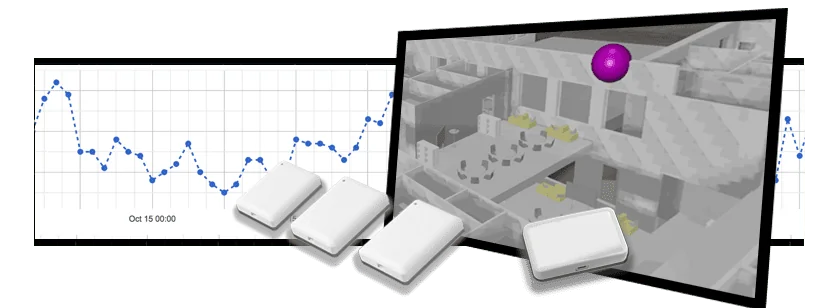
Extend building management workflows with clear dashboards for IoT sensor data, IAQ, occupancy, space usage, alerts, and reporting.
Use Case
A Practical Data Layer Around Building Management Systems
A BMS dashboard is most useful when it gives facility teams clear operational context, not just equipment status. FeelPlace adds environmental, occupancy, people flow, and building health data that can help explain why a room feels uncomfortable, why a space is underused, or where service teams should investigate first.
This page targets teams that already work with building automation or BMS tools and need more occupant-centered and wireless sensor data. FeelPlace is designed to complement those systems with measurements that are often missing from traditional controls.
Where It Creates Value
Clear Outcomes for Building Teams
Each use case has its own operational goal, decision owner, and data need.
Occupant-Centered Context
Add IAQ, comfort, usage, and movement data to the operational signals already visible in building management systems.
Better Troubleshooting
Compare temperature, CO2, humidity, occupancy, and pressure trends before sending teams to investigate a room or floor.
Alert Prioritization
Use thresholds and historical patterns to separate urgent indoor environment problems from normal variation.
Reporting for Owners
Create evidence-based summaries for comfort, compliance, tenant experience, and building improvement decisions.
Wireless Gap Filling
Add measurements in areas where wired BMS points are missing, expensive, or too slow to deploy.
3D Context Option
Use the digital twin when location, floor, zone, and room context make the dashboard easier to understand.
Dashboard Data
What to Add Around a BMS
The best smart building dashboard joins equipment context with actual room and occupant conditions.
| Data Type | What It Shows | Facility Value |
|---|---|---|
| IAQ | CO2, particles, VOCs, humidity, temperature, and pressure. | Explains ventilation and comfort conditions. |
| Occupancy | Room use, underuse, peak demand, and presence patterns. | Improves scheduling, cleaning, and space planning. |
| People Flow | Movement routes, congestion points, and visitor patterns. | Supports layout, safety, and service decisions. |
| Building Health | Structural humidity, moisture, and environmental risk areas. | Protects assets and supports lifecycle maintenance. |
| Alerts | Threshold events and trend deviations for important conditions. | Turns monitoring into daily action. |
Rollout
How to Add Smart Analytics to BMS Workflows
The rollout should begin with a small set of high-value operational questions.
Select Workflows
Choose use cases such as IAQ complaints, energy-related comfort issues, underused rooms, or safety monitoring.
Place Sensors
Fill data gaps with wireless sensors in the rooms, zones, and routes where BMS data is limited.
Build Views
Create dashboards around actual decisions: alerts, trend comparisons, room status, and monthly reporting.
Review Results
Use the evidence to tune thresholds, improve operations, and decide where to expand monitoring next.
FAQ
Questions About BMS Dashboard and Smart Building Analytics
Short answers for buyers and facility teams comparing smart building options.
Does FeelPlace replace a BMS?
FeelPlace is usually positioned as a complementary smart building data layer. It adds wireless sensor measurements, analytics, and visual context that many traditional BMS dashboards do not provide.
What is the most useful BMS dashboard data to add first?
Indoor air quality and occupancy are often the fastest starting points because they connect directly to occupant comfort, ventilation performance, and space efficiency.
Can the dashboard be used by service providers?
Yes. Service teams can use the data to monitor buildings remotely, prioritize maintenance visits, and show evidence of completed improvements.
Related FeelPlace Pages
Continue Exploring the Platform
These pages support the same buyer journey from different search intents.
Plan Your Smart Building Rollout
Tell us about your building, market, and measurement goals. We will map the right FeelPlace sensors, gateway setup, dashboard views, and deployment sequence.
Contact Sales